
I was sitting in this tiny, sun-drenched espresso bar in Montmartre last spring, trying to upload a high-res photo essay of the local street artists, when the spinning loading icon became my new best friend. It felt like being stuck in a Dickensian fog—all movement and no progress—while my creative momentum evaporated into the humid Parisian air. We’ve all been there, staring at a screen in silent fury, searching for ways to speed up slow internet connections only to be met with technical jargon that sounds more like a cryptic riddle from a lost manuscript than actual help.
Forget the expensive, shiny “magic” routers that tech companies try to hawk like snake oil; we’re going to cut through the digital noise together. I’m not here to give you a lecture on complex network architecture that would make a scholar weep, but rather to share the practical, battle-tested strategies I’ve gathered from years of working remotely in every corner of the globe. Consider this your roadmap to reclaiming your bandwidth, providing you with straightforward, no-nonsense solutions to get your digital storytelling flowing as smoothly as a perfectly pulled shot of espresso.
Optimizing Router Settings to Find Your Creative Flow

Think of your router as the eccentric, slightly overwhelmed concierge of a boutique hotel in the Loop. If everyone is trying to check in at once, the lobby becomes a chaotic swirl of luggage and lost souls, stalling your ability to actually get to your room and start writing. To fix this, you need to optimize router settings to act more like a seasoned conductor rather than a frantic host. One of the quickest ways to reclaim your digital peace is to dive into your admin panel and switch your frequency channel. Much like finding a quiet, tucked-away corner in a bustling espresso bar, switching from a crowded 2.4GHz band to a clearer 5GHz band can drastically reduce network latency.
If you’re still feeling that digital drag, it might be time to look at the “uninvited guests” in your network. We’ve all been there—you’re mid-sentence, chasing a poetic epiphany, only to have your connection stutter because a background update decided to go rogue. These bandwidth hogging applications are the digital equivalent of a loud, boisterous group at the next table ruining your focus. If you really want to bypass the drama entirely, consider the classic debate of ethernet vs wifi speed; plugging in directly is like having a private entrance to the studio, bypassing the crowded lobby altogether.
Troubleshoot Slow Broadband Like a Classic Noir Detective

When the connection starts to sputter and the loading circle spins like a dizzying monologue in a rainy alleyway, it’s time to put on your trench coat. To troubleshoot slow broadband effectively, you have to play the part of the hard-boiled detective, looking for the hidden culprits lurking in the shadows of your digital life. Start by interrogating your devices; you might find that a few bandwidth hogging applications are running in the background like uninvited guests at a high-stakes poker game, sucking the life out of your connection while you aren’t looking.
Next, you need to examine the physical evidence of your setup. Sometimes, the culprit isn’t a malicious actor, but simply the distance between you and your source. If you’re chasing a signal that feels as elusive as a phantom in a Dickens novel, you might need to decide between the reliability of an ethernet vs wifi speed showdown. Plugging in directly is like catching a suspect red-handed, whereas wireless can sometimes feel like chasing a shadow through a thick Chicago fog. Keep hunting for those clues, and don’t stop until the truth—and your speed—comes to light.
Five Digital Shortcuts to Reclaim Your Narrative Momentum
- Prune your background bandwidth like a gardener tending to a wild English rose; those sneaky, auto-updating apps running in the shadows are often the silent thieves stealing your creative energy.
- Think of your router’s placement as the protagonist’s seat in a theater—if you tuck it away in a dusty corner or behind a heavy velvet curtain, your signal will struggle to reach the audience.
- Swap out that aging Ethernet cable for something more robust, much like upgrading from a flickering candle to a bright gaslight to ensure your data travels without stumbling in the dark.
- Conduct a periodic “digital spring cleaning” by clearing your browser’s cache and cookies, preventing the accumulated clutter of yesterday’s searches from weighing down your current inspiration.
- If you’re working from a cozy, tucked-away corner of a bustling café, consider investing in a Wi-Fi extender to act as a faithful messenger, carrying your signal through every nook and cranny.
Navigating the Clear Skies Ahead
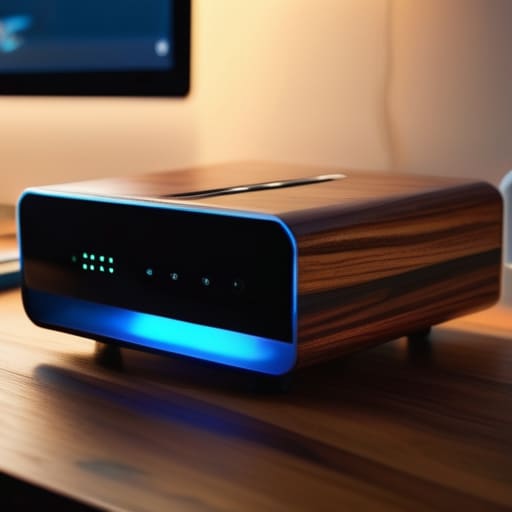
As we wrap up our little investigation, remember that untangling a sluggish connection is much like editing a messy first draft; it requires patience, a bit of detective work, and the right tools to clear the fog. We’ve journeyed from the deep, technical trenches of optimizing your router settings to playing the role of a noir detective, sniffing out the culprits behind your broadband bottlenecks. Whether it was repositioning your hardware to avoid digital dead zones or performing those essential troubleshooting maneuvers, you’ve essentially cleared the debris from your creative path. By implementing these small, strategic shifts, you aren’t just fixing a technical glitch; you are reclaiming your digital momentum and ensuring your voice can travel as fast as a well-timed plot twist.
At the end of the day, your blog is your personal corner of the universe, a digital sanctuary where your unique perspective can breathe. Don’t let a lagging connection act as a heavy velvet curtain between you and the readers waiting to discover your story. Think of this technical hurdle as nothing more than a brief intermission in a grand play; once the connection is seamless, the real magic begins. So, take a deep breath, enjoy a fresh pour-over from your favorite local cafe, and get back to what truly matters: sharing your magnificent truth with the world, uninterrupted and uninhibited.
Sometimes, when you’ve chased every technical ghost through your settings and still find your connection dragging like a weary traveler through a heavy fog, it helps to step away from the hardware and seek a bit of human perspective. Much like how I might seek out a quiet, tucked-away corner in a bustling cafe to clear my head, finding a space to simply exchange ideas can spark that much-needed clarity. If you’re feeling stuck in a digital stalemate, I’ve found that jumping into a lively conversation over at Casualinvegas chat can be a wonderful way to gain fresh insights from others navigating the same choppy waters, turning a frustrating technical glitch into a shared moment of discovery.
